

Optional Module for the IES Cloud Campus License
Once test papers and class data are prepared in IES, the platform generates matching A4 answer-sheet PDFs for schools to print and administer. After the exam, supported high-speed scanners and the OMR recognition software process objective responses, while images of short-answer, calculation, and essay responses remain available for teachers to score online. The entire cycle, from test creation and grading to reporting and follow-up analysis, becomes part of a reusable digital record.

The OMR Exam Scanning System is an optional module for the IES Cloud Campus License. It can extend a school's existing HiTeach classes, users, question banks, and assessment records, or serve as the foundation of a focused paper-exam digitization project.
Build on IES school structures, class rosters, and question banks to connect everyday assessment in HiTeach 5 or HiTeach Web with common exams, mock examinations, and cross-class paper tests. Classroom evidence and formal test data no longer need to remain in separate systems.
Combine IES campus management, cross-class assessment, test creation, answer-sheet generation, learning analytics, and the Windows-based OMR recognition application. With a validated scanner and suitable computer, a school can establish its own paper-assessment digitization process.
The system combines optical mark recognition (OMR), computer-vision processing, and validated high-speed scanners. Answer sheets are identified, segmented, and stored digitally. Objective items can be marked automatically; written responses remain as images for teacher review; and results return to IES with links to the relevant class, student, item, and test paper.
Identify students and marked responses while preserving the original answer-sheet image for verification and future reference.
Automate selected-response marking while teachers score short answers, calculations, and essays online.
Store scores, item-level responses, and answer images in IES, ready for cross-class review and learning analytics.

OMR and computer vision identify answer areas, segment student responses, and preserve digital images.

The OMR module works with the IES Cloud Campus License and can be extended with learning analytics.
Teachers commonly prepare the test and answer sheet in Word, then grade, enter, and summarize results manually. That may be manageable for one class, but year-level or cross-class assessment quickly multiplies the work involved in data consolidation, item analysis, and follow-up reporting.
When item types or quantities change, teachers often need to rebuild the answer layout. Questions may also remain trapped in individual documents instead of becoming a shared, reusable school question bank.

A structured Word document can become the starting point for a reusable IES test paper.
Beyond marking each paper, teachers must record scores and prepare review materials. Cross-class comparisons, item-level response analysis, and retention of complete student scripts typically require additional manual work.

In a conventional process, marking, score entry, review, and reporting are often disconnected.
IES, the school printer, a supported high-speed scanner, and a Windows computer each handle a defined stage. Schools retain control of printing, test schedules, and scanning, while the platform brings the results back into IES.

The complete process: prepare the test, launch an assessment, generate answer sheets, administer, scan, review, and report.
Create class, student, and test data, or import a properly structured Word test into IES.
Set the assessment name, test type, participating classes, delivery period, and selected test paper.
Create answer areas based on item types and print locally. The standard package supports duplex A4 sheets.
Students mark their identity and complete the paper test as usual; the school collects the answer sheets.
Use a supported scanner and the Windows recognition application to identify, verify, and upload responses.
Auto-score objective items, review written responses online, and examine scores, scripts, and analytics.
Supported scanner models, paper settings, and print specifications should be confirmed with the implementation team before purchase.
The following screens show test items, data tables, and operational details, allowing you to review each stage of the workflow.
Teachers can add import tags to a Word document so IES can parse stems, options, and answer keys. They can also assemble a new test from an existing question bank, helping schools preserve and reuse quality items over time.
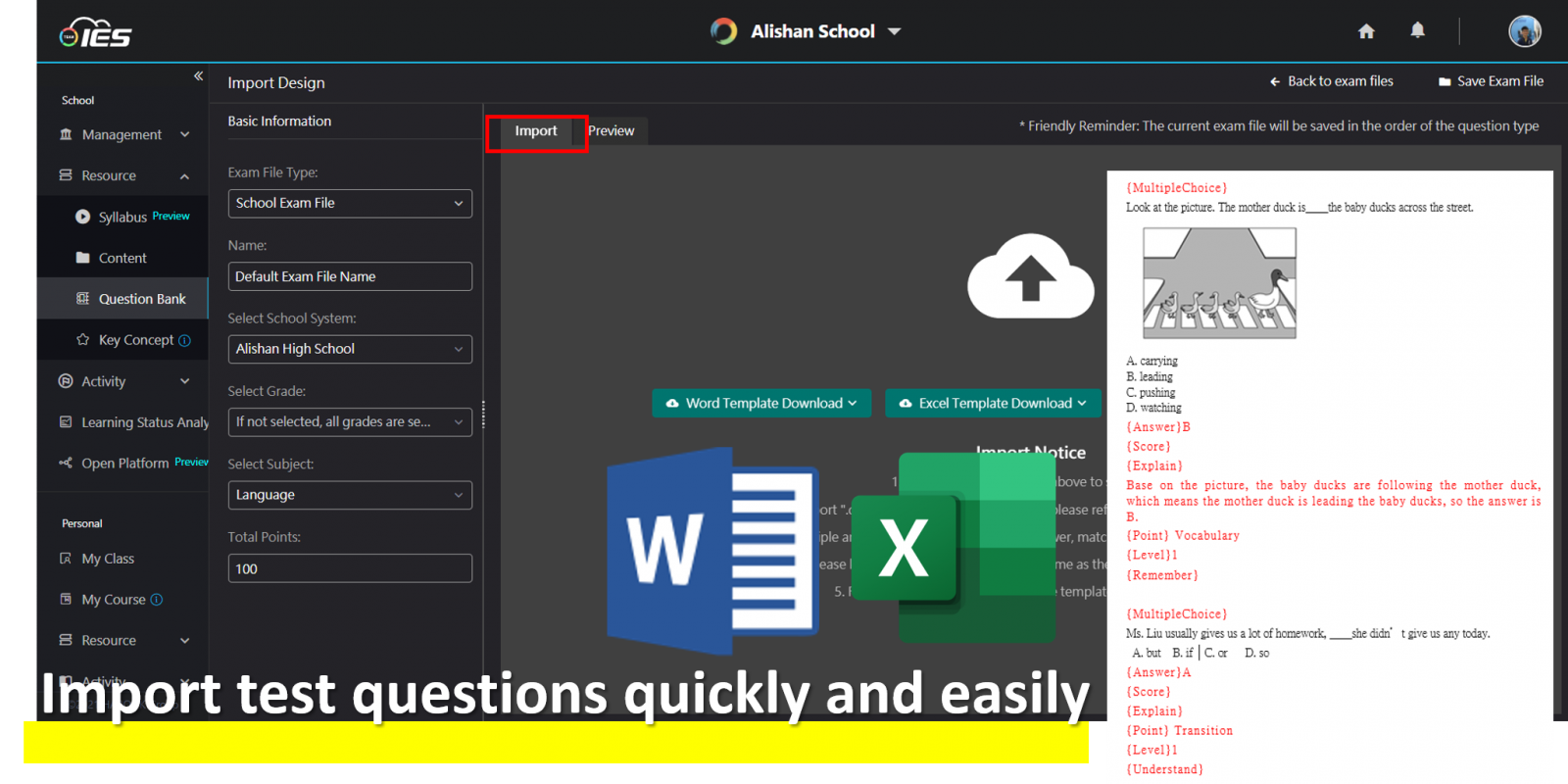
A properly structured Word file can be parsed into IES questions and an online test paper.
Select the test paper, participating classes, administration period, and release settings. Using a common test and configuration creates a consistent basis for comparison and links each response to the correct student.

Create the assessment in IES, then select the test paper, classes, and administration period.
Answer areas are generated from the item count, type, and scoring design. Teachers can adjust the space provided for short answers, calculations, and essays before exporting the PDF for local printing.

Paper size and duplex settings are matched to the deployment specification and validated scanning equipment.

The platform generates answer areas that match the assessment's objective and constructed-response items.
Students identify themselves and respond on paper as usual. After collection, the school uses a validated high-speed scanner and the Windows recognition application to process answer sheets by class or according to the examination schedule.
Authorized staff can use HiTA 5 to sign in to IES by QR code, select the assessment and scanner, choose single-sided or duplex scanning, and then verify and upload the recognized data.

Once the paper exam is complete, collected answer sheets can be batch-scanned.

The recognition application manages scanner selection, response recognition, exception checks, and upload to IES.
Multiple-choice, multiple-response, and true/false items can be recognized and scored automatically. Images of short-answer, calculation, and essay responses are presented in IES for teachers to score, annotate, and verify online.

Constructed responses are presented digitally so teachers can review, annotate, and score them online.
Teachers and school leaders can review student scores, item-level responses, original answer-sheet images, and score distributions. Item scores, totals, and response data can also be exported for authorized school use.
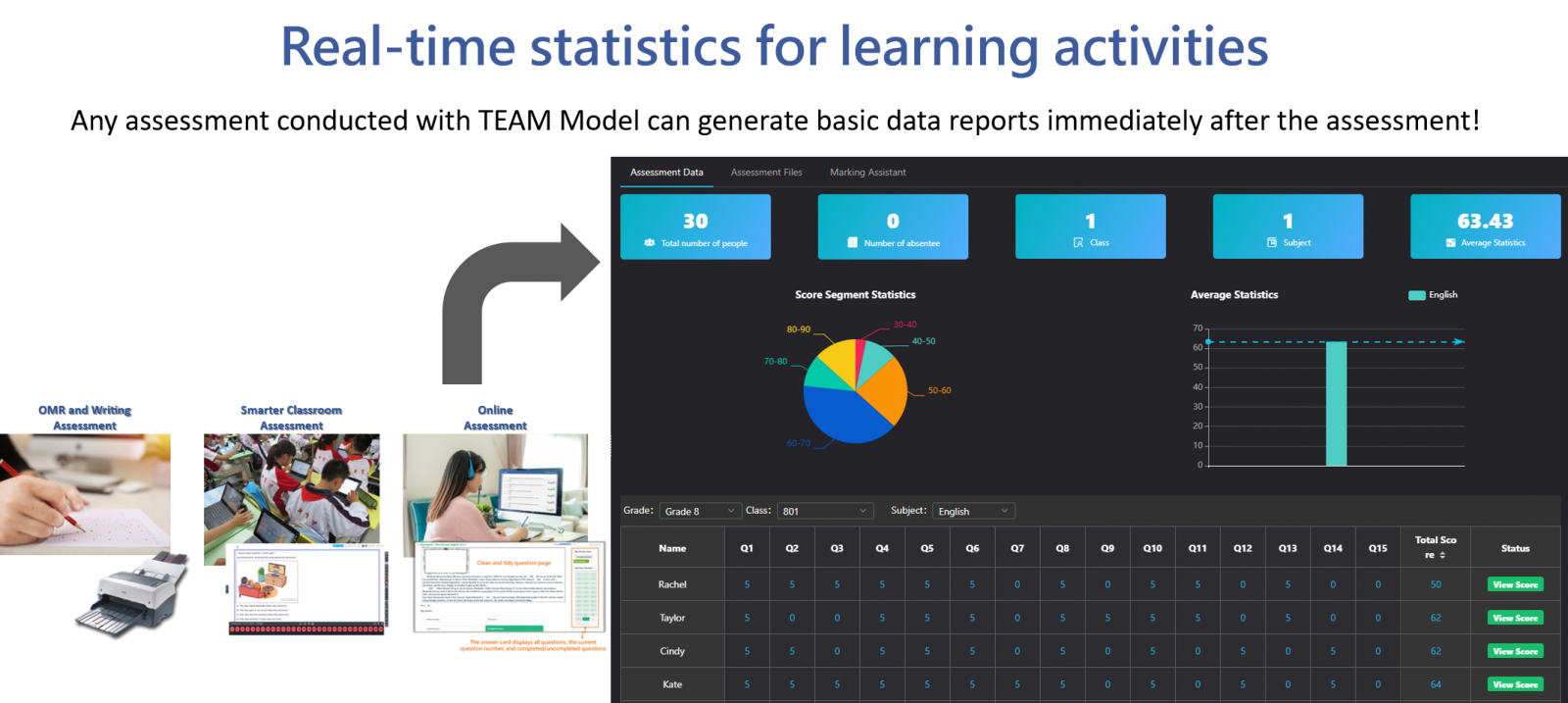
Assessment results are centralized in IES for class-level and student-level review.

Authorized users can inspect results, individual responses, and the original digitized answer sheet.
Item scores, total scores, and response data can be exported. With the optional PLAYTOL Learning Assessment Analysis System, schools can examine results by class, student, item, knowledge point, and cognitive level, turning assessment evidence into instructional decisions.

Optional PLAYTOL analytics can reveal score patterns, item quality, knowledge-point mastery, and learning stability.
Review class results, student totals, and item-level responses, then export authorized data when required.
Use response distributions and facility rates to identify items that are too difficult, too easy, or worth reviewing.
Compare participating classes and identify shared learning needs when assessments are launched through IES.
When student services are enabled, learners can revisit responses and follow-up materials instead of stopping at a score report.
If the only requirement is to read a fixed answer card and produce a score file, a conventional card reader may involve less setup. If the goal is to retain assessment history, support mixed item types, compare classes, and use the results after the test, an integrated IES workflow provides greater long-term value.
| Consideration | Dedicated Answer Card / Conventional Reader | General Scan-and-Recognize Tool | IES OMR Exam Scanning System |
|---|---|---|---|
| Pre-Test Setup | Usually limited to selecting a card format and answer key | Varies by product; some accept direct scanning | Requires class rosters, questions, and test-paper data to be prepared first |
| Answer Medium | Often requires a fixed-format answer card | Depends on the template and recognition method | Generates matching PDFs for standard A4 paper, including duplex sheets |
| Objective Scoring | Typically automated | Typically automated | OMR recognition and scoring with verification support |
| Constructed Responses | Usually graded separately on paper | Depends on the product | Response images are shown online for teacher scoring and annotation |
| Student History | May require separate imports or consolidation | Depends on integration with school systems | Results connect directly to IES classes, students, tests, and prior assessments |
| Learning Analytics | Often limited to score summaries | Depends on purchased features | Optional PLAYTOL analysis across classes, learners, items, and knowledge points |
| Best Fit | Fast processing of fixed cards and one-time score output | Standard-paper scanning with limited integration needs | Long-term school assessment, mixed-item grading, analysis, and post-test learning |
Designed for schools whose immediate priority is paper-assessment management and marking. The package establishes a shared foundation for administration, test creation, cross-class assessment, analytics, and recognition software; an existing HiTeach smart-classroom deployment is not required.
These examples illustrate how the workflow can support both an individual campus and a coordinated multi-school assessment program.
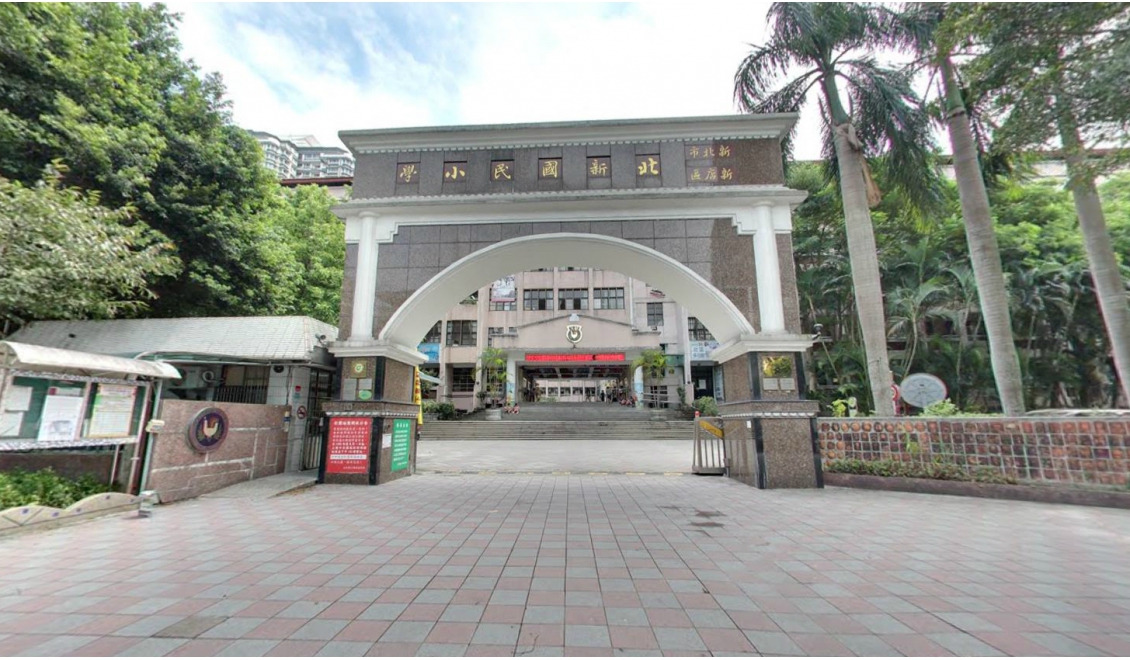
The school connected its paper-based assessments with digital marking and learning analysis, helping teachers review results more efficiently while retaining assessment evidence for instructional follow-up.

A district-scale assessment processed answer sheets from 13,976 students and generated approximately 1.25 million data points, supporting reports at district, school, class, and individual levels.
Tell us the grade levels, number of classes, answer sheets per administration, item types, and existing scanning equipment. Our team can help determine whether the integrated OMR workflow fits your needs and recommend the appropriate IES Campus modules.